Team Chat
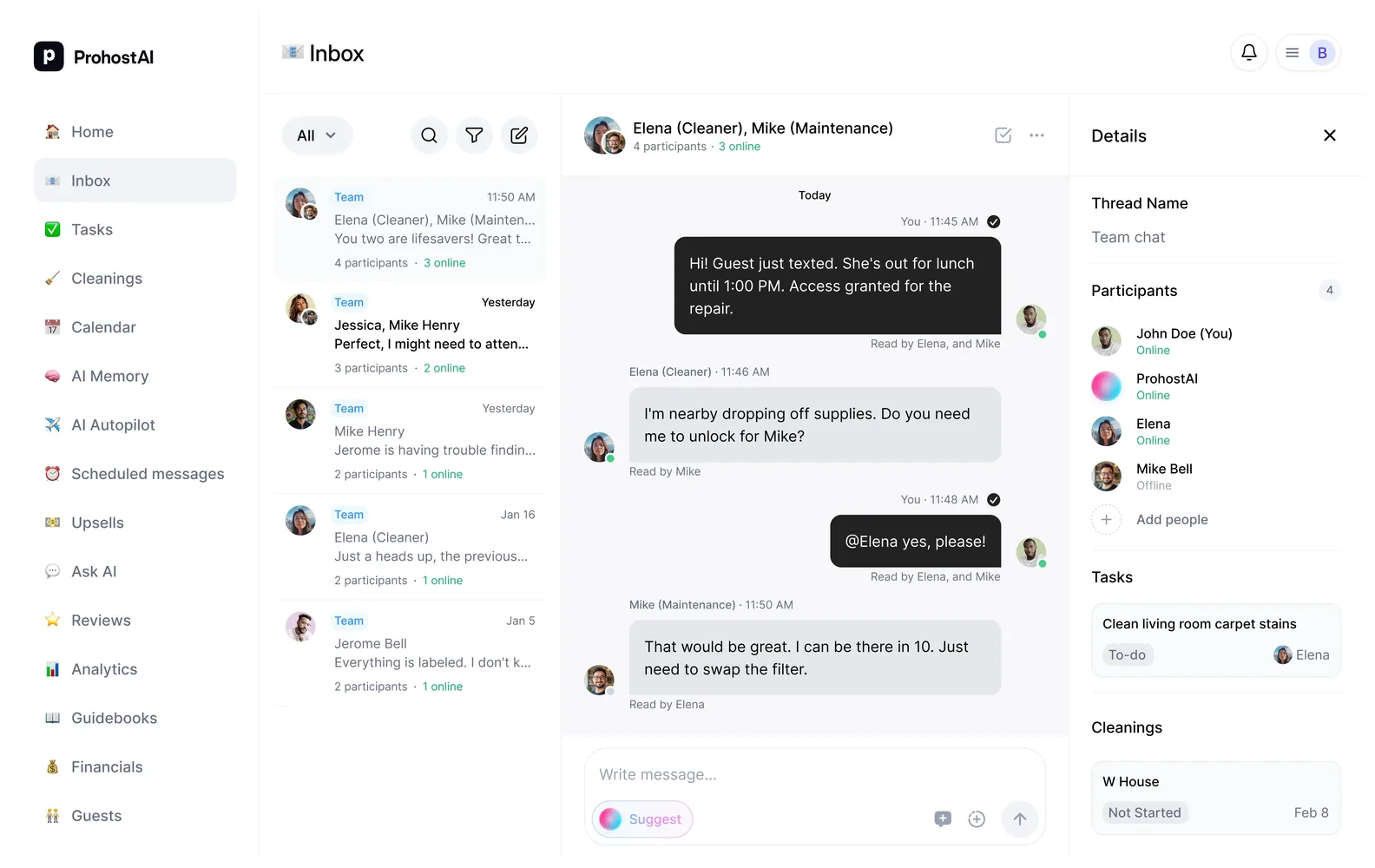
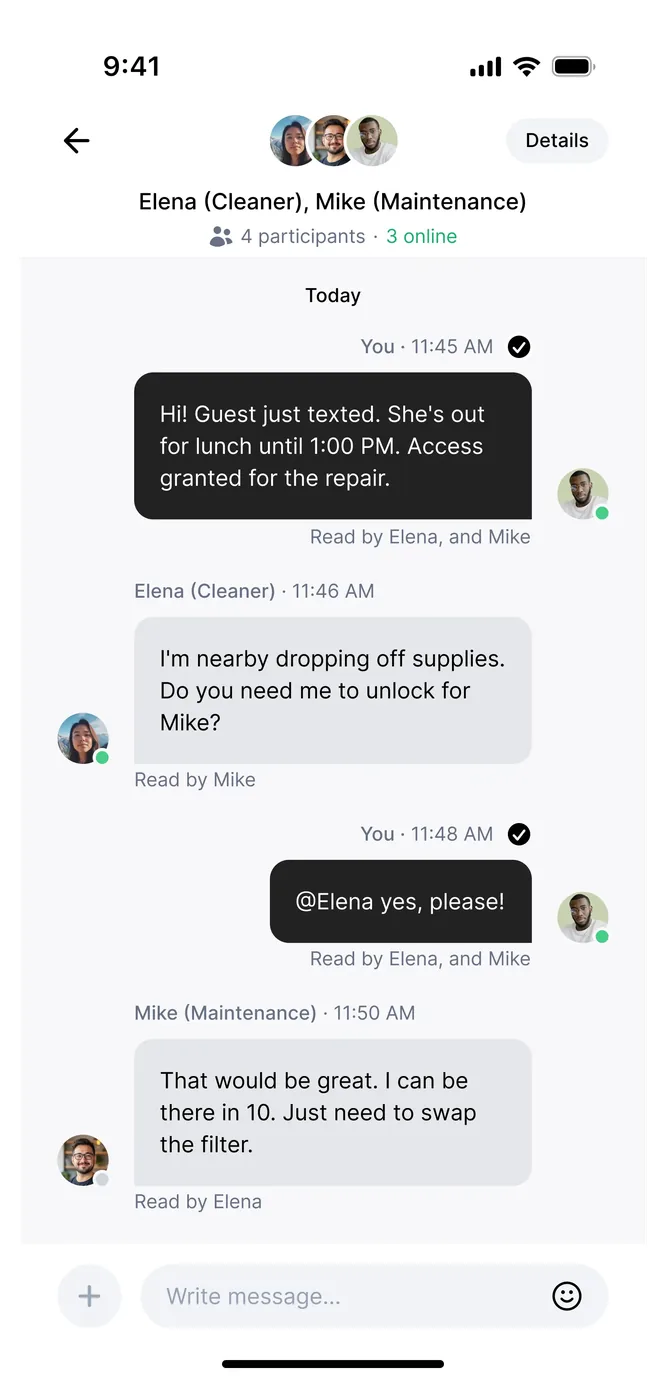
Create 1:1 or group conversations with your team. See who's online, who's typing, and coordinate seamlessly across all your properties.
Made byProhostAI
- Category
- Productivity & docs
About Team Chat
Create 1:1 or group conversations with your team. See who's online, who's typing, and coordinate seamlessly across all your properties.
Helps with: Operations, People
Why Team Chat?
Real-time presence
See who's online with live presence indicators. Know when team members are viewing a conversation or typing a response.
1:1 and group chats
Start direct conversations or create group chats with multiple team members. Add or remove participants anytime.
Read receipts
Know exactly who has seen your messages and when. Never wonder if your team got the update.
How it works
Share photos & files
Upload and share images directly in conversations. Perfect for cleaning photos, maintenance issues, and property updates. View all shared media in the conversation sidebar.
Message reactions
React to messages with emojis to quickly acknowledge updates or show appreciation. A simple thumbs up can save a thousand words.
Push notifications
Get instant push notifications when team members message you. Never miss an important update, even when you're away from the app.
Related tasks & cleanings
See tasks and cleanings assigned to conversation participants directly in the chat sidebar. Keep context close to the conversation.
Ready to set up your workspace?
- Start free
- No per-seat pricing
- Cancel anytime